Support
Get Help
Use the in-app support chat to ask for help, report technical
issues, request improvements, or follow up on plan access.
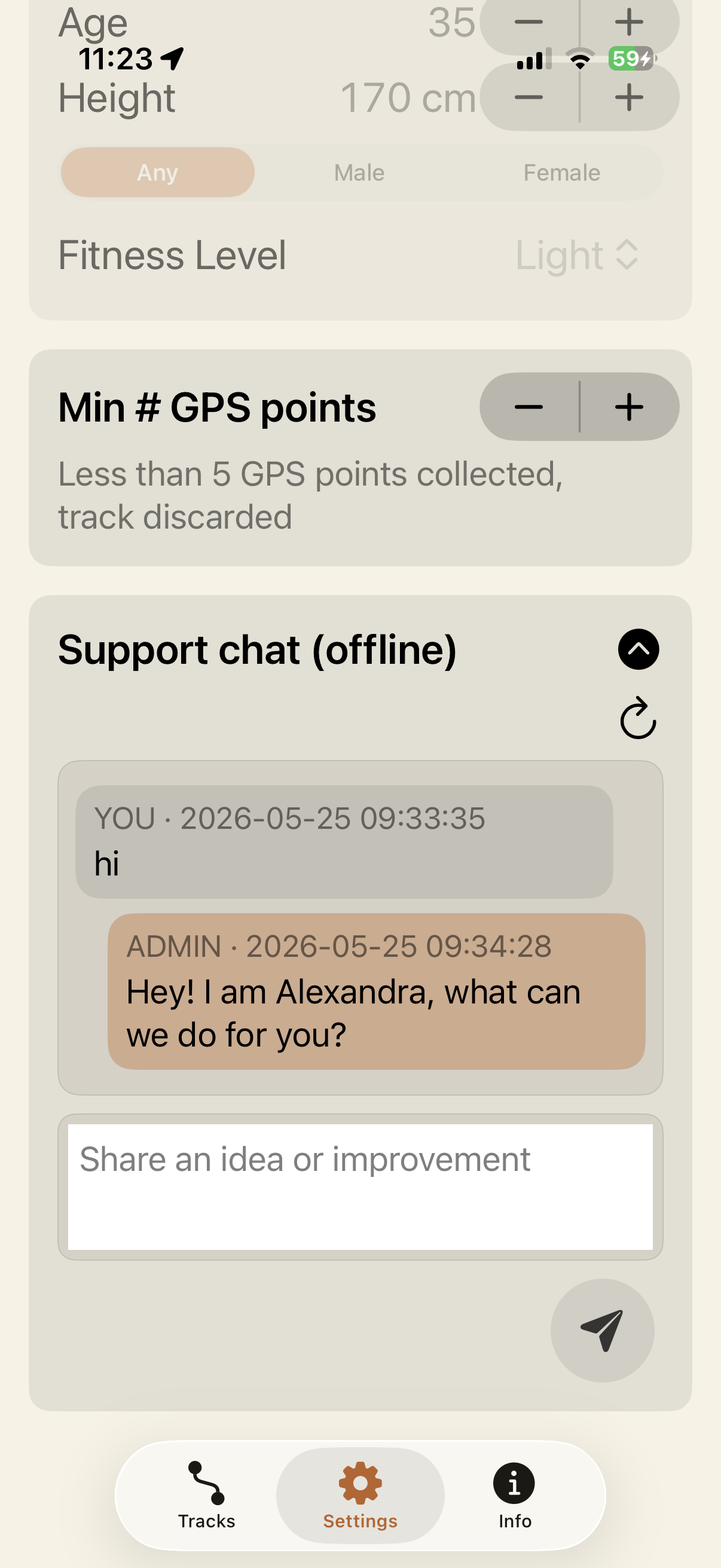 Support chat is available from the Settings tab.
How to contact support from the app
- Open freedomTrack on your iPhone.
- Go to the Settings tab.
- Open Support chat.
- Write your message and tap the send button.
- Use the refresh button later to check for replies.
If the chat appears offline, send the message anyway when possible
and check again after your connection is restored.
What support can help with
Technical issues
GPS signal, route saving, upload status, live links, maps,
imports, exports, photos, voicepoints, and app behavior.
Plan access
Restore access, plan not updating, entitlement status, and
feature availability inside the app.
Requests
Feature ideas, usability feedback, workflow improvements, and
suggestions for future versions.
Privacy
Questions about location data, photos, voicepoints, health
permissions, exports, sharing, or deletion requests.
Details to include
For technical problems
- Your iPhone model and iOS version.
- What you were doing when the issue happened.
- The activity type: run, ride, hike, walk, or ski.
- The route status if visible: Local only, Uploading, Uploaded, or Shared.
- Whether location, health, camera, microphone, or speech permissions are enabled.
For plan access issues
- The plan you expected to use.
- Whether Restore Purchases has been tried.
- The status shown in the App Store, if relevant.
- The current entitlement details shown inside freedomTrack, if available.
- A screenshot of the app status, if it helps explain the issue.
Do not include sensitive personal information in support messages.
Quick checks before sending a request
- Confirm that iOS Location access is enabled for freedomTrack.
- Enable Apple Watch health permissions if heart rate is missing.
- Check your internet connection before uploading, sharing, or refreshing support chat.
- Use Restore Purchases from the app if plan access is not reflected.
- Try again after moving outdoors if GPS points are not being collected.
Known issues
Issues currently identified in the app. Check back for updates.
Loading…
Could not load known issues. Please try again.


 freedomTrack